TECH
Vol.131

Y.K
Captivating users in 3 seconds: The power of UI
In this article, we will explore the importance of the first view.


What Is the first view?
The first view refers to the portion of a website that is visible immediately upon opening the page—before any scrolling occurs. It serves as the “face” of the website, determining whether users choose to stay or leave, and is the most critical interface in shaping the user’s first impression.
In recent years, people increasingly search for information through platforms like Twitter and Instagram, or rely on apps that curate useful lifestyle content. As a result, opportunities to visit traditional websites may be decreasing. For this reason, when designing the first view, it is no longer sufficient to rely on conventional approaches—we must think more deeply and strategically.
At the same time, modern websites are evolving to compete with applications by incorporating animations and other techniques that enhance presentation without compromising UI/UX. As a result, we are seeing more visually impactful designs than ever before.
After outlining the importance of the first view, I will introduce five websites that I believe demonstrate exceptional first-view design.
Let’s take a closer look at why the first view matters so much.
Let’s dig deeper into what makes this “critical space that defines first impressions.”
First, the recommended display ranges for the first view are as follows:
• Desktop
Width: 960px–1080px Height: 550px
• Tablet
Width: 768px Height: 1024px
• Smartphone
Width: 360px Height: 600px
(For Retina displays, double the width: 750px)
Source: FASTCODING BLOG “Web Width & First View Sizes Designers Must Know (Oct 2020 Edition)”
Within these limited screen sizes, it is essential to clearly communicate: “Who is this for?”, “What information can be gained?”, and “Is there value in continuing to read?”
However, simply presenting information is not enough. Without a positive impression, users will quickly leave the site.
If we compare it to a person—even if someone has a great personality, if their appearance is untidy, it may feel uncomfortable to walk alongside them and fail to create a good impression.
In the same way, the first view must deliver an attractive and compelling first impression—both in substance and in presentation.
You may often come across the term “the 3-second rule” when researching first views. It is said that users decide within just three seconds whether they want to continue browsing a site or leave in search of another.
That is why the first view is so important—it must capture the user’s attention within those three seconds. So, what exactly does a UI that achieves this look like? Let’s take a simple look at its key elements.
Analyzing the First View
Here are some defining characteristics of an effective first view:
① Present elements clearly and concisely
Display key messages, such as catchphrases, in a simple and direct way
→ Users can immediately tell whether the content is relevant to them
② Highlight strengths with numbers
Show metrics such as sales figures or rankings to build credibility
→ Quantifying facts increases persuasiveness and trust
③ Use video
Include content that clearly conveys the theme
→ Videos deliver more information than static images and naturally attract attention
④ Use animation
Incorporate animations that align with the theme to enhance the experience
→ Adds originality, draws attention, and encourages further interaction
⑤ Include sliders or slideshows
Use carousels to showcase key content
→ Allows multiple pieces of information to be presented at the user’s pace
⑥ Add actions that lead to the next step
Include clear call-to-action buttons such as conversions or anchor links
→ Makes the next action obvious and easy to follow
Based on these points, an effective first view should focus on the following three elements:
✔️ Does it include elements that guide user actions?
✔️ Does it contain attention-grabbing elements?
✔️ Is the information easy to understand at a glance?
With these criteria in mind, we have selected websites that successfully incorporate all three elements.
Next, we will introduce five first-view examples that stand out.
6 Websites with Outstanding First Views
Dokodemo Waiting Roomhttps://dokodemo.app/ja/
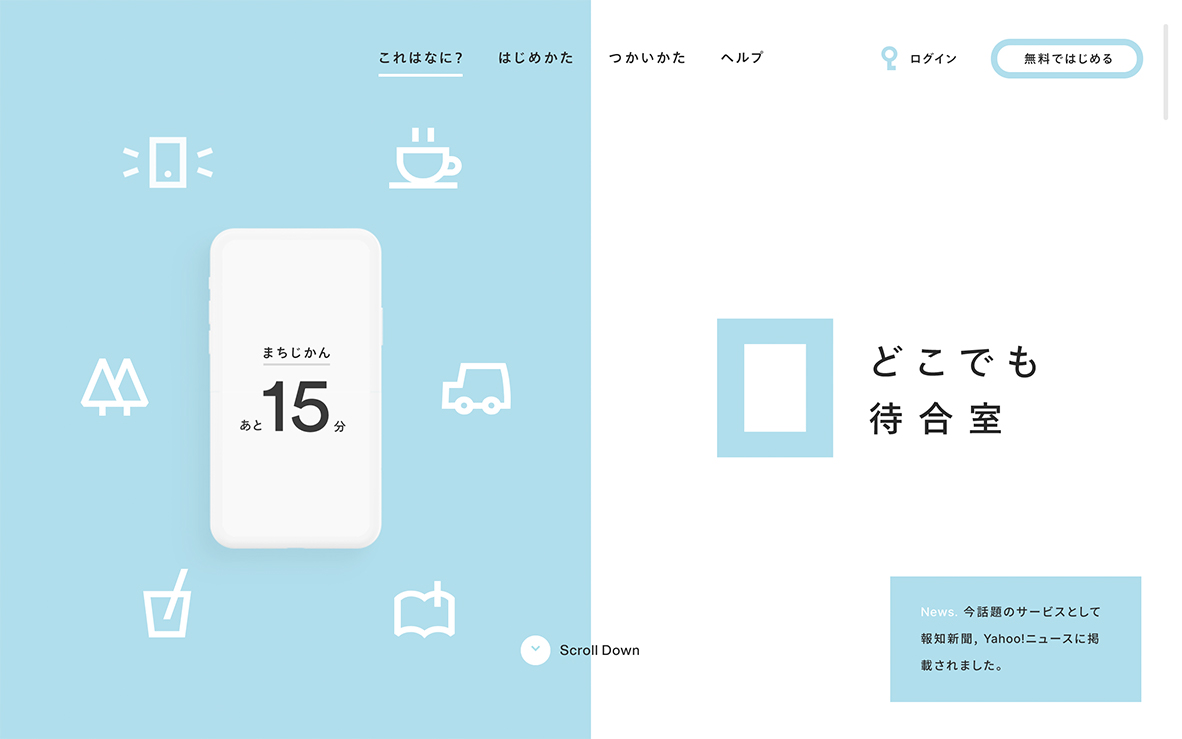
*A clean, minimal layout achieved by presenting only essential information
*The main visual strongly aligns with the keyword “anywhere,” clearly communicating the concept
ANDARThttps://and-art.jp/
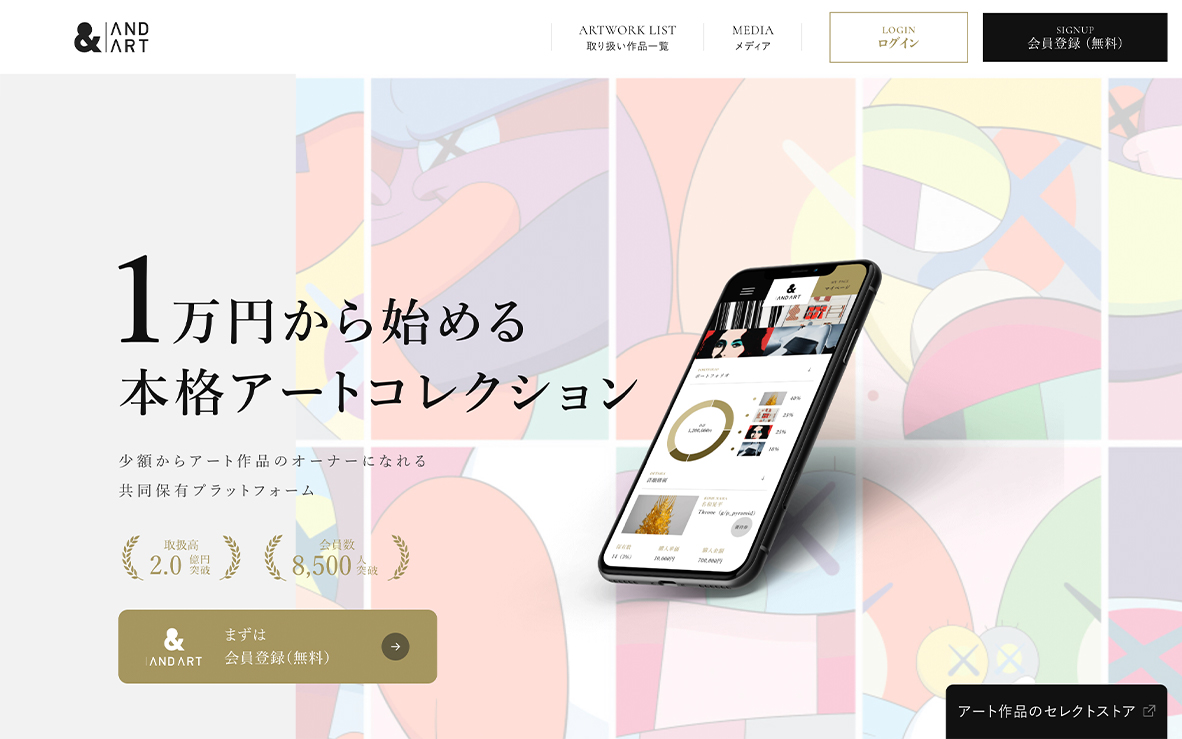
*Effectively uses numbers to lower the perceived barrier often associated with art
*Including “1” in the title creates an impression of affordability and accessibility
*Catchy copy encourages users to scroll and explore further
*Concrete figures such as transaction volume and membership add credibility
TSUMIKI DESIGNhttps://uid.tsumikiinc.com/
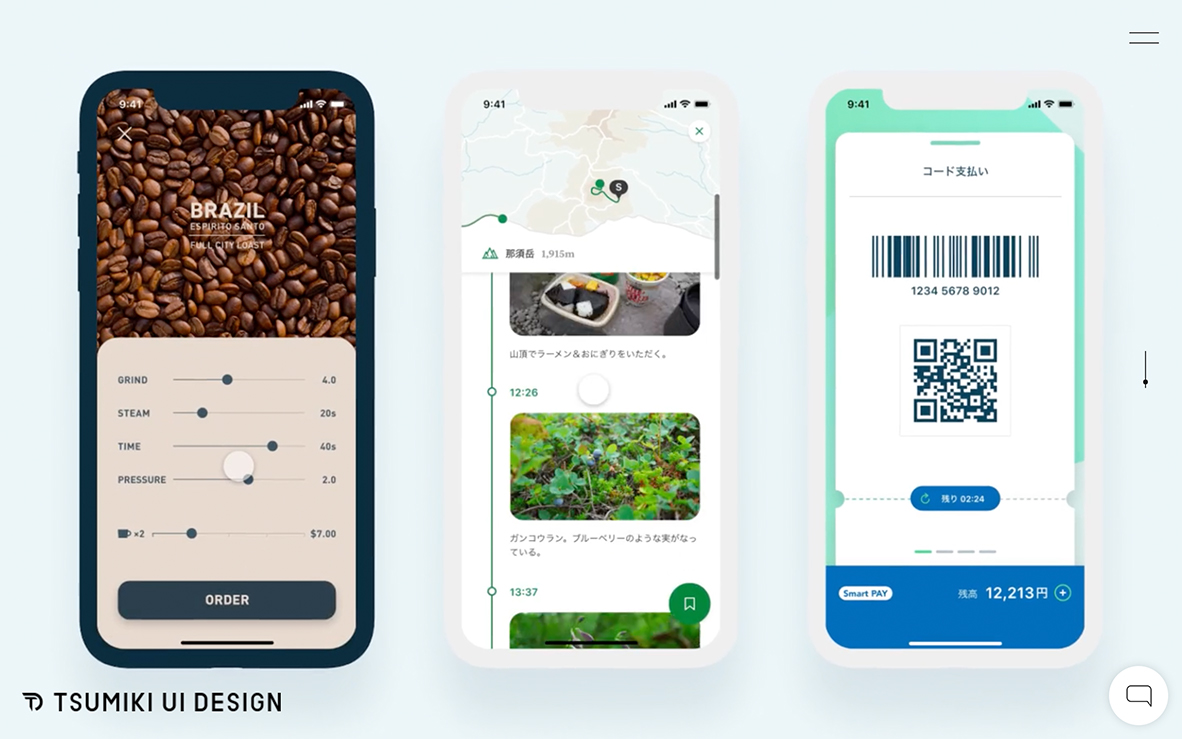
*Users can grasp the nature of the site at a glance without reading text
*Key selling points are effectively summarized in video format
Casahttps://www.casa-inc.co.jp/
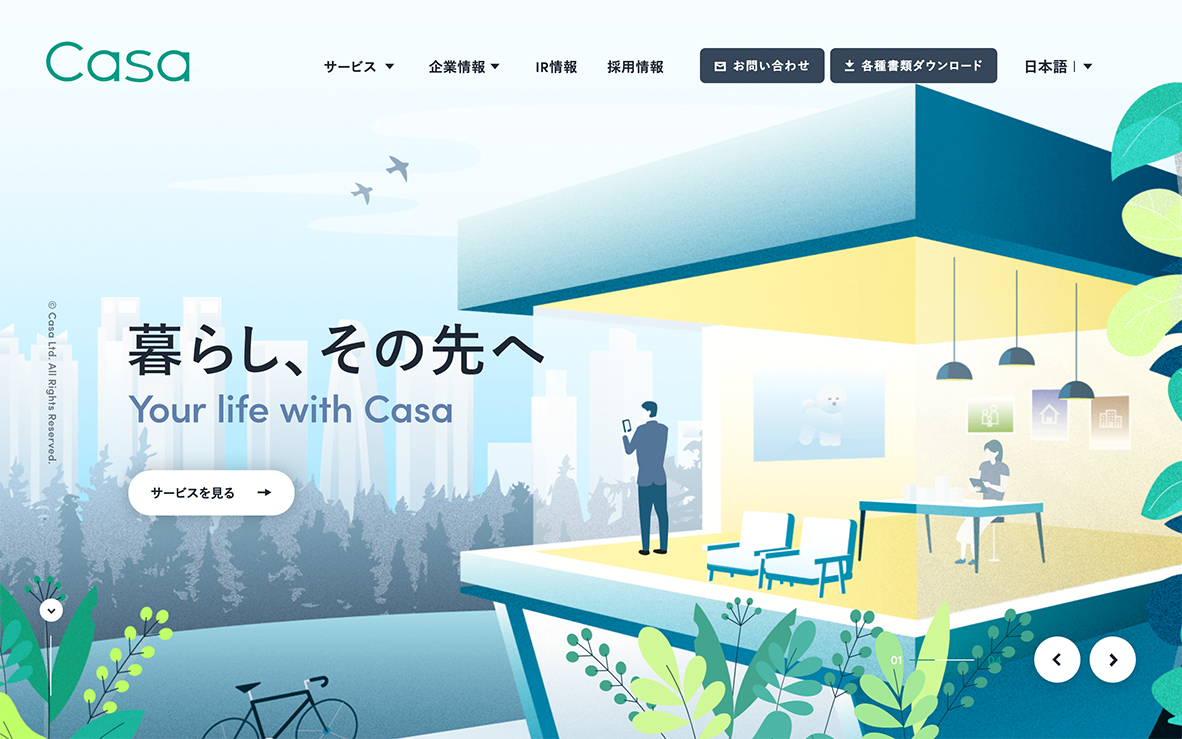
*The main visual is built around the theme of “living,” making the concept easy to imagine
*Consistent tone and color scheme enhance readability and invite scrolling
Rinnaihttps://rinnai.jp/weboriginal/
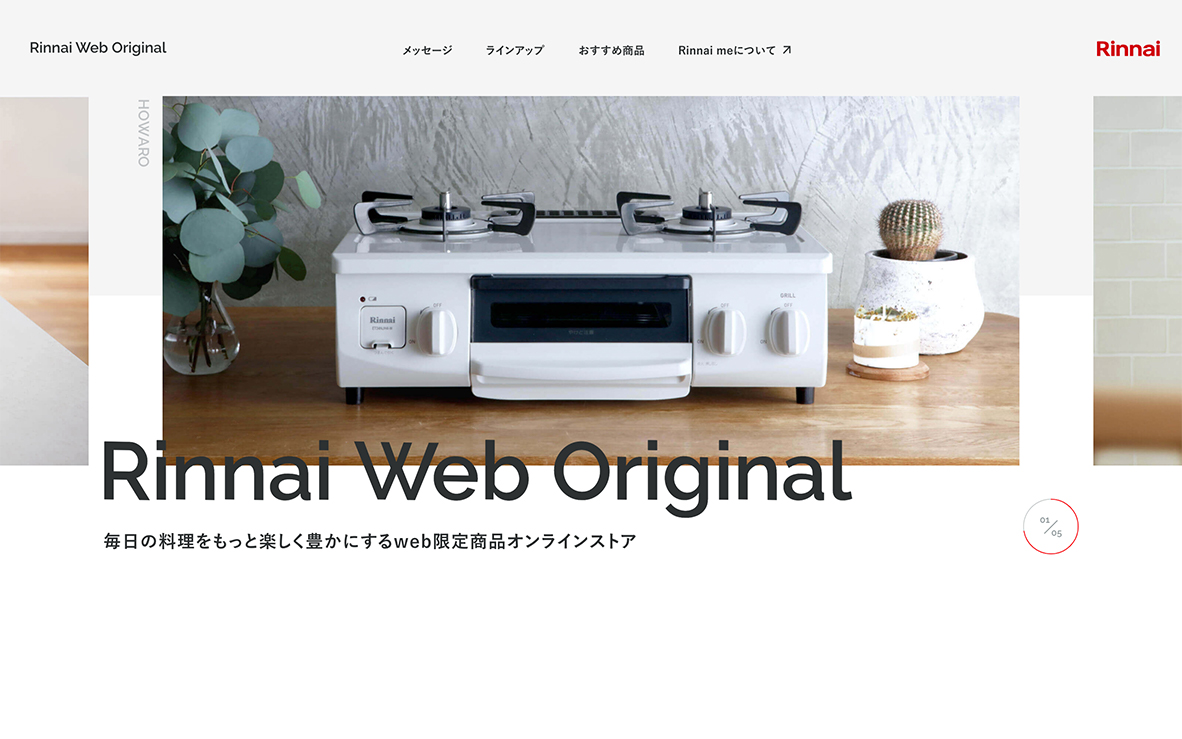
*Images clearly communicate that the products are related to cooking
*Fast slide transitions allow users to quickly grasp the product lineup
*Text makes it immediately clear that this is an online store
Logicoolhttps://www.logicool.co.jp/ja-jp
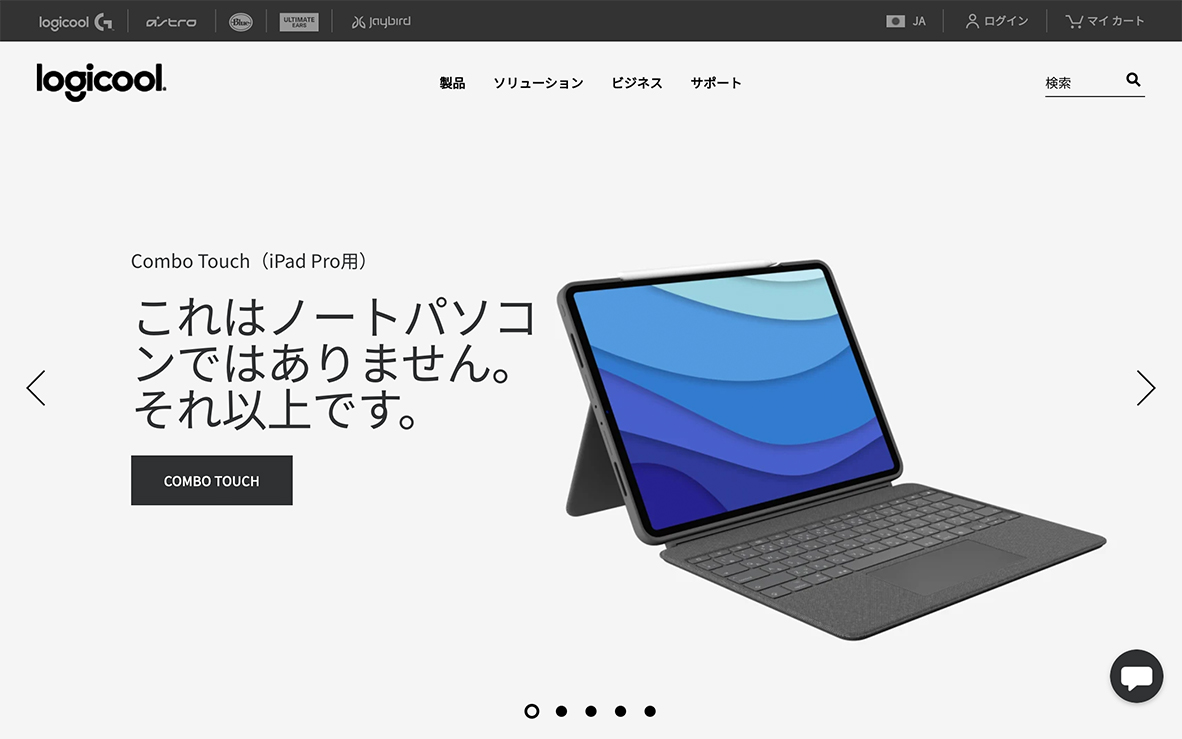
*Wide hover area on slide buttons allows smooth, stress-free interaction
*Hovering reveals a preview of the next slide, encouraging clicks
*Short, bold text highlights product features clearly and effectively
Kariomons Coffee Roasterhttps://kariomons.com/
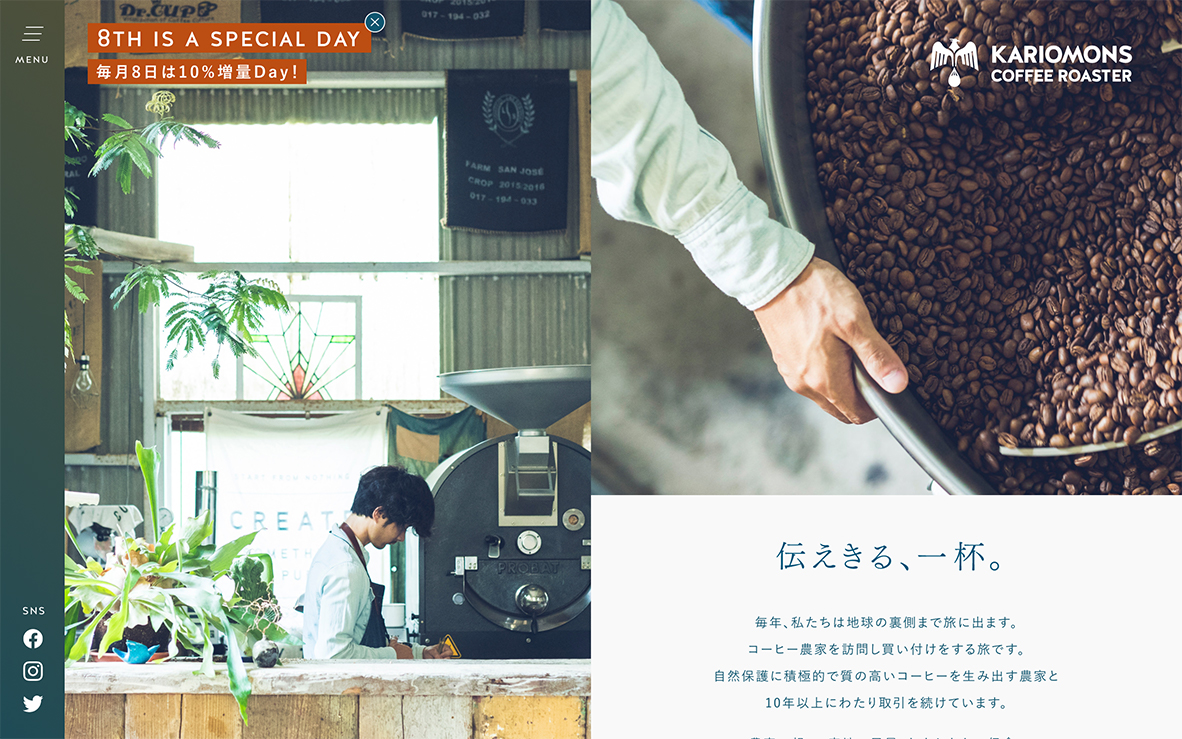
*The hamburger menu opens automatically, making available options easy to understand
*Clear menu placement improves discoverability and naturally leads to the next action
What users are looking for on a website
We have explored the importance of the first view—where a UI must capture the user’s attention within just three seconds. While this may seem like a challenging task, it becomes more approachable when we focus on what the target users are truly seeking from the site. By identifying and prioritizing the information users want most, and presenting it in a clear and concise manner, an effective first-view interface can be achieved.
To design a website that is not only visited but also valued by users, we will continue to refine and experiment with first-view UI design, striving to create experiences that resonate from the very first moment.
RECENT POSTS

Vol.203
What Is Design Management

Vol.202
Why Hiring No Longer Works— Redesigning Organizations and Decisions for an Uncertain Age

Vol.201
How to Choose a Branding Agency: 5 Criteria to Avoid Failure

Vol.200
Design Management: A Practical Guide for SMEs and Startups to Drive Real Results

Vol.199
How to Rebuild Brand Competitiveness: A Practical Guide to Brand Management for SMEs

Vol.198
From parent–child bonds to community: The future of education that nurtures diversity and designs relationships






