TECH
Vol.143

N.U.
Inquiry Form & Admin Tool: Automating the Connection


Three types of system integration
Here’s how we organised our system:
1. A user submits the contact form on our website (Trigger)
• Status: Success or Failure
• Input contents
↓
2. Automatically post to Slack (acts as a monitoring tool)
↓
3. Accumulate the submission contents in a Google Sheets spreadsheet (acts as a database)

At BOEL, we had already implemented steps 1 and 2 (form → Slack).
To accumulate the input data, we wanted to also implement form → Google Sheets (step 3), but faced several issues and progress was slow. After trial and error, we achieved our original goal by linking Slack (step 2) with Google Sheets (step 3).
Because the method of linking the systems is introduced on many websites, this article focuses on key points and pain points encountered.
Linking the contact form and Slack
We use Slack as our communication tool.
If we are to manage whether a form submission succeeded or failed, it’s convenient to receive a notification in a tool we use daily.
Therefore, when a submission is made on our website, we created a mechanism that automatically sends a notification to Slack.
The notification message is structured like this:
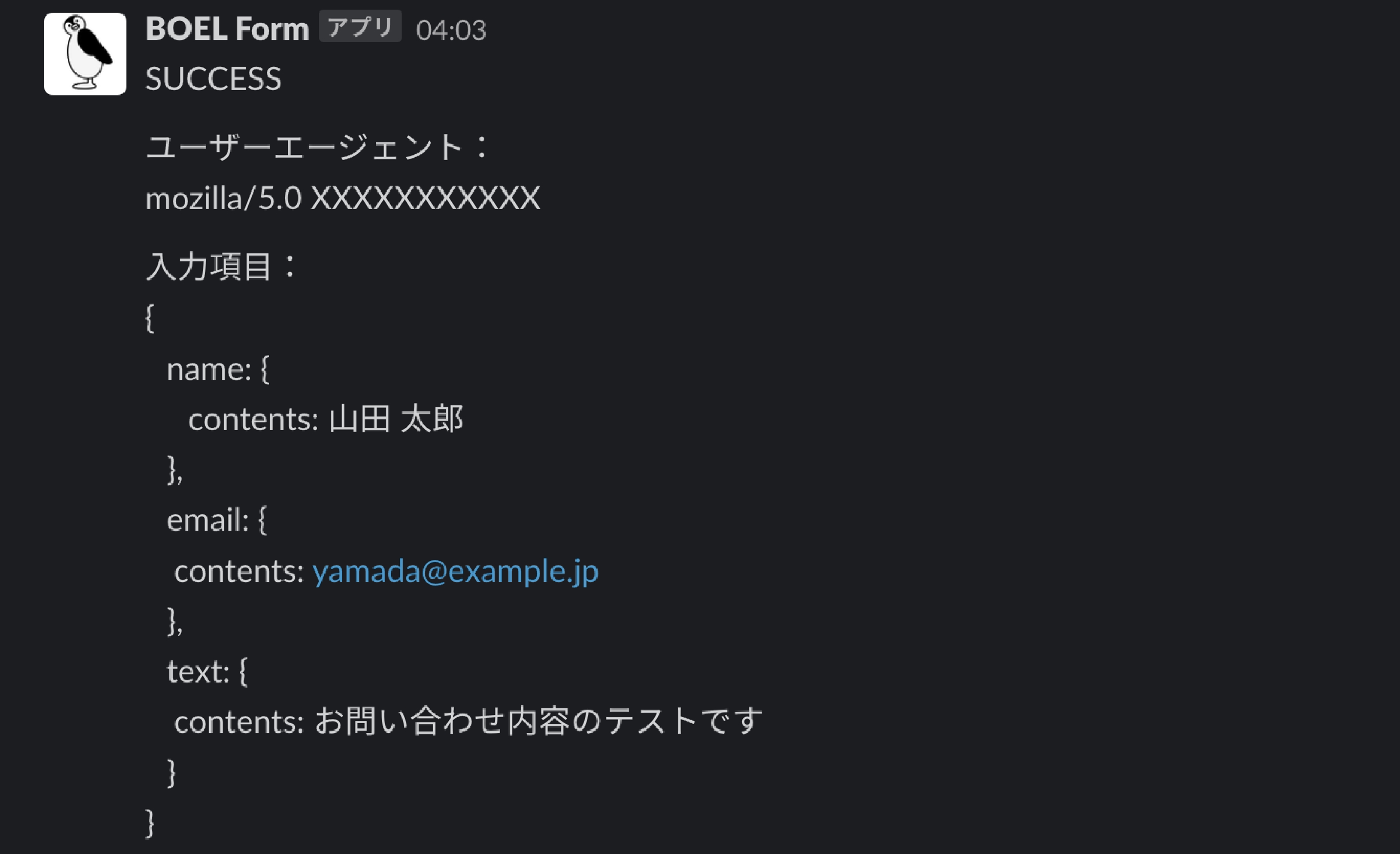
• (example image: Slack success notification)

• If there is a send-error, we set the beginning of the message like this:
(example image: Slack failure notification)
To detect submission failures early, we make a special address setting for failures and apply noticeable text formatting.
The notification to Slack is for “status management + log capture,” so we post the JSON input data from the website without further processing.
Implementation method on the site: We used Slack’s Incoming Webhook .At the time the form is submitted, the input content is POSTed to Slack.
Linking Slack and Google Sheets
Slack side setup
SlackとGoogleスプレッドシートを連携させるために、Slack通知のタイミングでイベントを実行するSlack Event APIを使用しました。
上記1.で設定したSlack appに追加設定を行います。
Google Sheets side setup
Google App Scriptを使用し、Slackから受け取った情報を加工して管理表へ登録するツールを作成しました。取得したい項目のみ正規表現で抽出し、テーブルに格納します。
管理表のイメージはこちらです。

In summary
If you like, I can also prepare a bilingual version (Japanese + English) of the article or a simplified summary for your team. Would you like me to proceed with that?
RECENT POSTS

Vol.198
From parent–child bonds to community: The future of education that nurtures diversity and designs relationships

Vol.197
Exploring the future of environmental design integrating vision, diversity, and a future-oriented perspective

Vol.196
Vision-making for diverse and future-oriented education: Interpreting the future of learning through environmental design

Vol.195
“One Health” and Japan — Toward an Era of Integrating Humans, Animals, and the Environment

Vol.194
The benefits and challenges of digital education in the AI era, and the future of learning

Vol.193
Vision-Making in the age of AI — How artificial intelligence is transforming the meaning of work and the nature of organizations